
Hi! Here is a quick guide to sharing your photographs with your family & friends. When ordering you can also share with me, so I know exactly what you are ordering, especially for albums.
Clicking on the hearts on a photo saves it as a favorite. The very first time you click on the heart, it will automatically ask you if you want to save. Think of what name you want to name the folder to help you recall the pictures you are saving. Follow the prompts
You can create multiple favorite folders. Here are some examples:
Lainey - Senior year 2026
Collin - Football Pictures
Lucia - Cake smash
OR
you can just save by the year
2025 Pics
Once you set up your first "favorites" folder, anytime you click on a heart it will save it to that folder so before you begin you willwant to create a new folder.
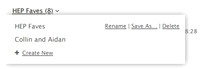
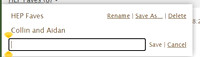
A window will pop up. Click on create new to navigate and name the file. Name your file and hit save.

Once you are back in the gallery you would click on "share" in the upper right corner.
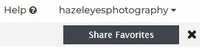
This will take you directly to the sharing window. It defaults to "the photographer". It displays the Favorites folder name and a comment section where you can type in what you want to order. If you are ordering an album you simply state something like "these are the pics I want for my album"
If order prints you can list them by number and say (1) 8x10 (2) 5x7 and so on.
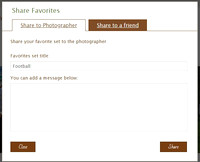
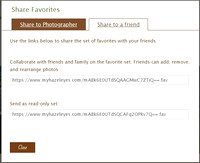
If you are sharing with family or friends, click the Share to a friend tab. This will give you a link to copy and paste in an email, or text.
That's it!